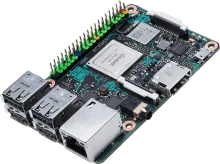
REG Linux device image

Asus ROG Ally

Asus ROG Ally pairs the AMD Ryzen Z1 SoC with the REG Linux stack for a polished retro console. pairs the AMD Ryzen Z1 SoC with the REG Linux stack for a polished retro console.

Asus ROG Ally

Quick specs

  • Manufacturer: ASUS
  • SoC: AMD Ryzen Z1
  • Download: Coming soon

Hardware specifications

Built for ASUS

REG Linux targets this hardware profile so you can flash and play without manual tweaking.

Manufacturer

ASUS

SoC

AMD Ryzen Z1

Download link

Coming soon

Install notes

Flash Asus ROG Ally and boot

Follow the workflow below; the official board page contains any extra quirks for the AMD Ryzen Z1 platform.

  1. Grab the image. Download the latest Asus ROG Ally build from the downloads page or the official board entry.
  2. Flash to storage. Use balenaEtcher, Raspberry Pi Imager, or `dd` to write the image to an SD card or SSD. Make sure to verify the checksum before booting.
  3. First boot setup. Insert the media into your Asus ROG Ally, power on, and let REG Linux expand the filesystem. Pair controllers inside REG-Station once prompted.
  4. Troubleshoot with rescue tools. REG Linux ships with an immutable base and rescue partition—if something breaks, reboot into rescue or reflash without touching your ROMs.

Need a refresher?

Cross-check kernel notes, device trees, or wiring tips on the Asus ROG Ally board page.

Back to downloads