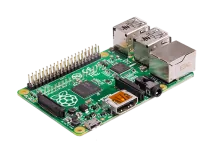
REG Linux device image

Raspberry Pi A/A+/B/B+

Raspberry Pi A/A+/B/B+ pairs the Broadcom BCM2835 SoC with the REG Linux stack for a polished retro console. pairs the Broadcom BCM2835 SoC with the REG Linux stack for a polished retro console.

  • Manufacturer: Raspberry
  • SoC: Broadcom BCM2835
  • Maintained on the REG Linux download channel
Raspberry Pi A/A+/B/B+
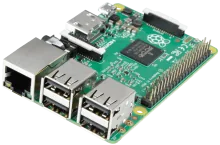
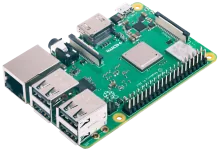
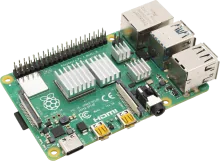
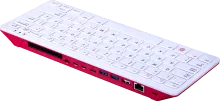
Raspberry Pi A/A+/B/B+ running REG Linux.

Hardware specifications

Built for Raspberry

REG Linux targets this hardware profile so you can flash and play without manual tweaking.

Manufacturer

Raspberry

SoC

Broadcom BCM2835

Image availability

Download the latest build from the REG Linux downloads hub (Raspberry section).

Install notes

Flash Raspberry Pi A/A+/B/B+ and boot

Follow the workflow below; the official board page contains any extra quirks for the Broadcom BCM2835 platform.

  1. Grab the image. Download the latest Raspberry Pi A/A+/B/B+ build from the downloads page or the official board entry.
  2. Flash to storage. Use balenaEtcher, Raspberry Pi Imager, or `dd` to write the image to an SD card or SSD. Make sure to verify the checksum before booting.
  3. First boot setup. Insert the media into your Raspberry Pi A/A+/B/B+, power on, and let REG Linux expand the filesystem. Pair controllers inside EmulationStation once prompted.
  4. Troubleshoot with rescue tools. REG Linux ships with an immutable base and rescue partition—if something breaks, reboot into rescue or reflash without touching your ROMs.

Board family guidance

Broadcom (Raspberry Pi) SoCs

Each Broadcom board directory (BCM2711/BCM2712/BCM2837/BCM2836/BCM2835) stages kernels, DTBs, firmware, overlays, and patches before genimage builds the FAT/Share layout for Pi and Compute Module hardware.

SoCs tracked: BCM2711, BCM2712, BCM2837, BCM2836, BCM2835

What to keep in mind

  • Board scripts copy Image, initrd, DTBs, and firmware while rewiring `boot/config.txt` + `cmdline.txt` to enable DRM/KMS helpers, fastboot, `noswap`, and other runtime defaults.
  • `genimage.cfg` produces a 2 GiB REGLINUX FAT32 boot volume plus a 256 MiB userdata/SHARE slice for BCM2711/BCM2712 builds, while the older SoCs keep their legacy layouts.
  • Overlays/patches load modules such as `snd_seq`, `i2c_dev`, and other audio helpers so GroovyMAME, RetroArch, and libretro cores stay compatible with the VC4/VC6 GPUs.

Learn more

Drill into the wiki board entry for scripts, overlays, and developer reminders.

View wiki guide

Need a refresher?

Cross-check kernel notes, device trees, or wiring tips on the Raspberry Pi A/A+/B/B+ board page.

Back to downloads