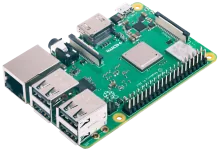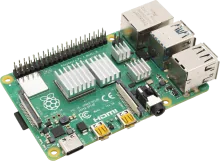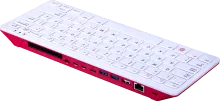
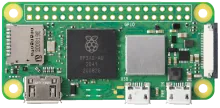
REG Linux device image

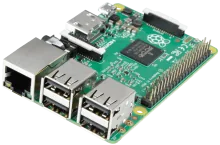
Raspberry Pi Zero 2

Pi Zero 2 is small, efficient, and easy to embed. REG Linux supports minimalist builds where size and power draw matter most. pairs the Broadcom BCM2837 SoC with the REG Linux stack for a polished retro console.

Raspberry Pi Zero 2

Quick specs

  • Manufacturer: Raspberry
  • SoC: Broadcom BCM2837
  • Download: Coming soon

Device notes

What to expect on Raspberry Pi Zero 2

Pi Zero 2 is small, efficient, and easy to embed. REG Linux supports minimalist builds where size and power draw matter most.

Best for

Compact retro projects, tiny cabinets, and low-power travel kits.

Field notes

  • Use a powered USB hub for multiple controllers.
  • Wi-Fi setup is easiest with a preconfigured config file.

Known limits

  • Limited USB ports without an adapter.
  • Performance is best suited for classic systems.
Compatibility checks

Wi-Fi connection USB OTG gamepads HDMI output via adapter

Hardware specifications

Built for Raspberry

REG Linux targets this hardware profile so you can flash and play without manual tweaking.

Manufacturer

Raspberry

SoC

Broadcom BCM2837

Download link

Coming soon

Install notes

Flash Raspberry Pi Zero 2 and boot

Follow the workflow below; the official board page contains any extra quirks for the Broadcom BCM2837 platform.

  1. Grab the image. Download the latest Raspberry Pi Zero 2 build from the downloads page or the official board entry.
  2. Flash to storage. Use balenaEtcher, Raspberry Pi Imager, or `dd` to write the image to an SD card or SSD. Make sure to verify the checksum before booting.
  3. First boot setup. Insert the media into your Raspberry Pi Zero 2, power on, and let REG Linux expand the filesystem. Pair controllers inside REG-Station once prompted.
  4. Troubleshoot with rescue tools. REG Linux ships with an immutable base and rescue partition—if something breaks, reboot into rescue or reflash without touching your ROMs.

Board family guidance

Broadcom (Raspberry Pi) SoCs

Broadcom support is built around the Raspberry Pi family, from legacy models to the latest Pi 5.

SoCs tracked: BCM2711, BCM2712, BCM2837, BCM2836, BCM2835

What to keep in mind

  • Targets Raspberry Pi 1 through Pi 5, plus Zero, 400, and Compute Module variants.
  • Pick the Pi model you already own and follow the matching wiki guide for setup and tips.
  • Great for living-room builds, cabinets, and portable Pi-based handheld projects.

Learn more

Drill into the wiki board entry for scripts, overlays, and developer reminders.

View wiki guide

Need a refresher?

Cross-check kernel notes, device trees, or wiring tips on the Raspberry Pi Zero 2 board page.

Back to downloads