
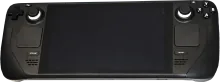
Steam Deck
Coming soon
Compatibility
Installation
- Download. Get the latest Steam Deck image from the downloads page or the wiki.
- Flash. Write to SD card or SSD with balenaEtcher or
dd. - Boot. Insert media, power on. Controllers pair on first boot.
- Rescue. If something breaks, reboot into rescue mode.
Notes
Handheld sessions at home or on the go, plus docked play when you want a living-room console feel.
- Start with the built-in controls profile, then add external pads for docked sessions.
- Use integer scaling where possible to keep classic titles crisp on the 1280x800
Known issues
- Higher performance presets can drain the battery quickly.
- Fan noise depends on workload and system profiles.